Create a master roster and copy it forward instead of rebuilding the same structure every week.
Build the week once. Use it everywhere.
A practical roster that makes the rest of Made Saasy smarter.
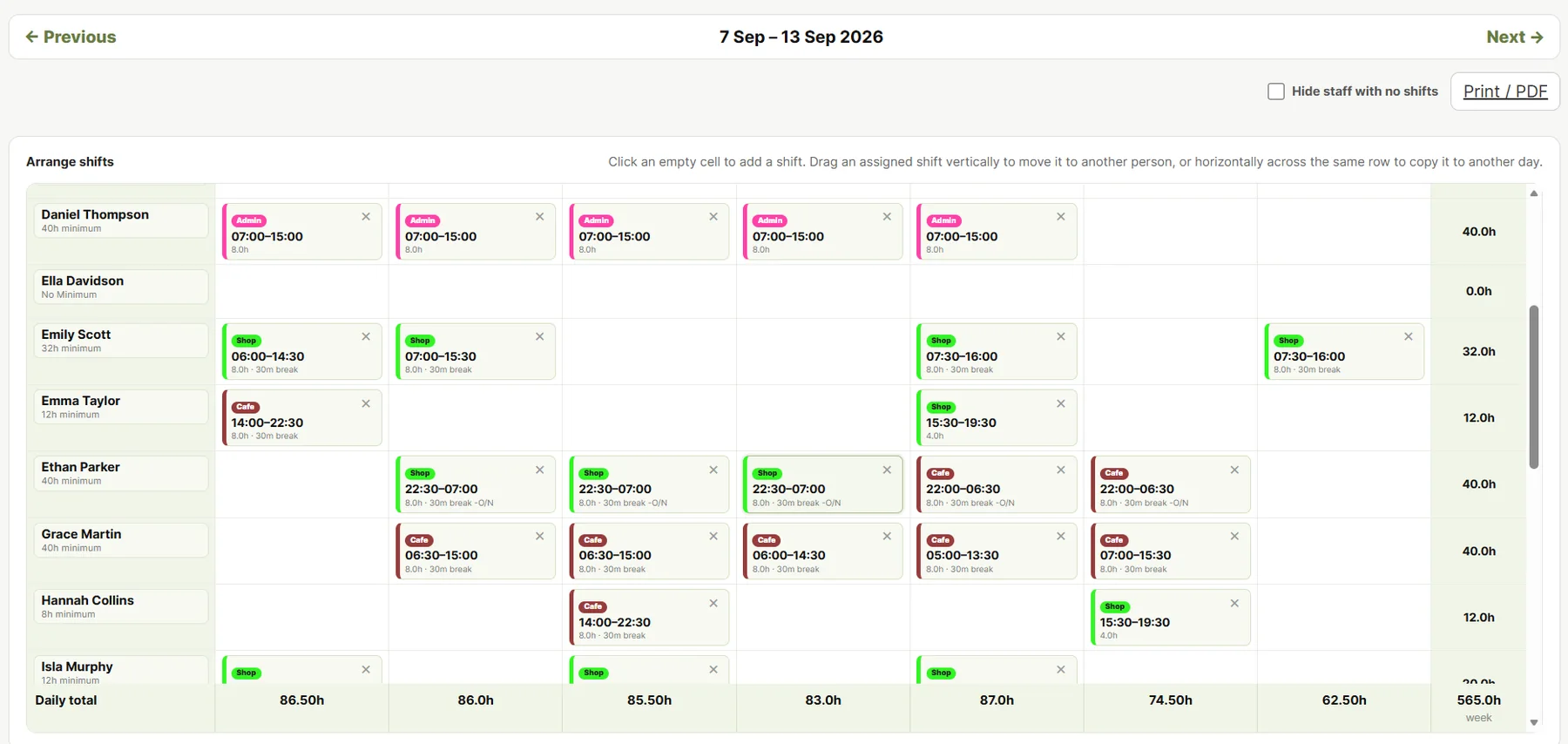
Build from a master week, click straight into an empty day to add a shift, use role colours to make the roster readable, manage leave and publish a clear weekly plan — then let other modules use that plan as operational context.
rostersmade saasy.
Why it helps
Less admin. Better visibility.
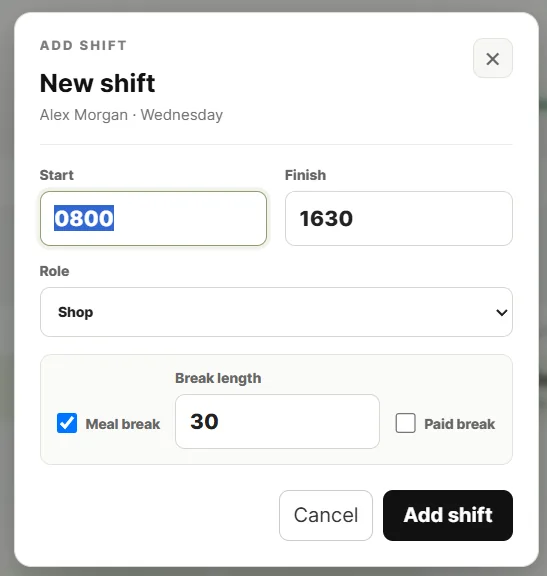
Move an assigned shift to another person, copy it to another day and edit role or meal-break details without page-jumping.
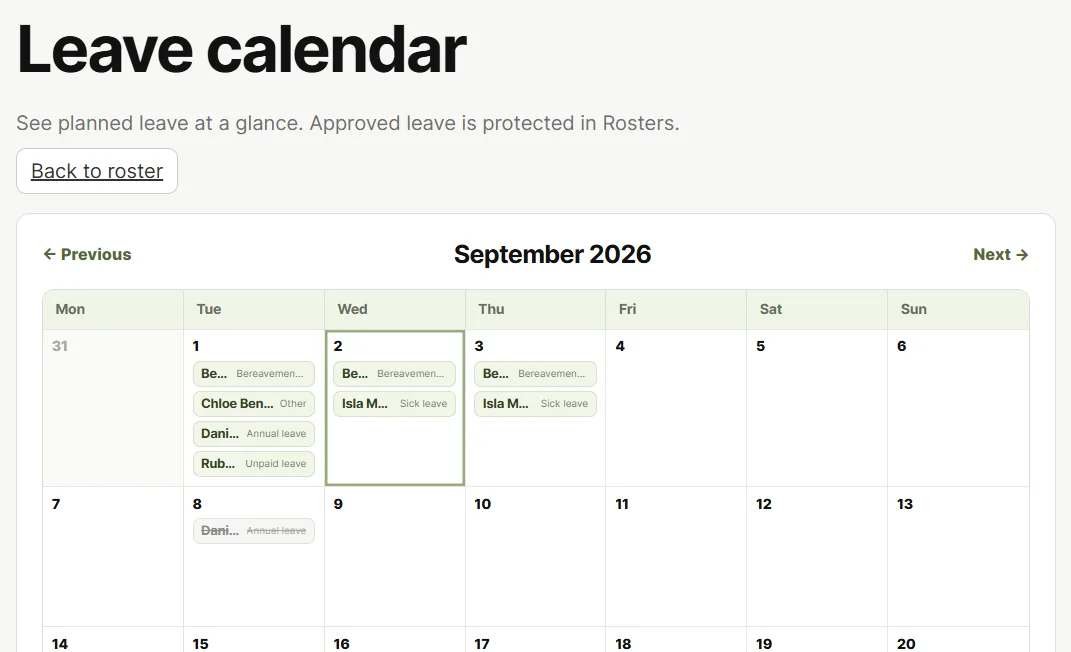
Approved leave is visible in the calendar and protected in the dated roster so managers are not accidentally scheduling someone who is away.
See it in action
Built around the work managers actually do.
What it does
Useful features, without the software bloat.
Click-to-add shifts
Click an empty staff/day cell and enter the shift details in context.
Custom role colours
Businesses can define up to three shift roles and colours so the roster matches how their workplace actually operates.
Unfilled work stays visible
Keep open shifts visible instead of hiding gaps in the week.
Contracted-hours context
See when rostered hours fall below a staff member’s contracted minimum.
Leave calendar
Managers can add, edit and review approved leave in a visual calendar.
Publish when ready
Work on the week as a draft, then publish the plan when it is ready for the team.
Better together
One module helps. Shared data helps more.
Made Saasy products are designed to share the operational context they already know. That means less double-entry, fewer disconnected systems and more opportunities for the software to do the checking for you.
Rosters + TimeThe roster tells Time who was expected, when they should have arrived and when their shift should finish. That turns raw punches into useful attendance information.Rosters + Leave + PayrollApproved leave is protected in the roster and can then flow into Time’s weekly payroll preparation using the rostered hours as the starting point.Rosters + ShiftsWhen work cannot be covered as planned, the roster provides the context that makes a shift-cover tool more useful.